
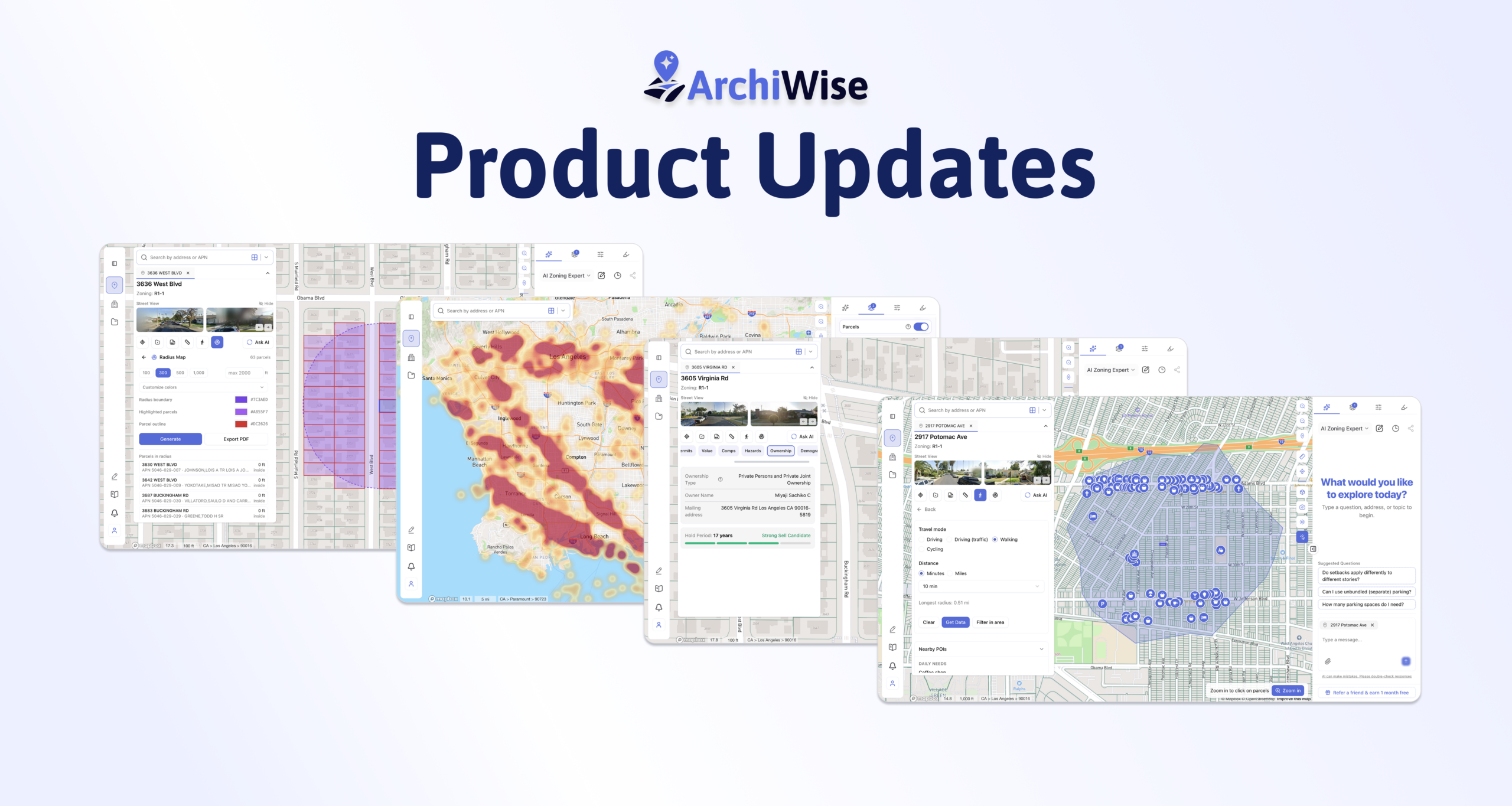

We’re continuing to improve ArchiWise to make site selection, property research, and development analysis faster, smarter, and more intuitive. Here’s what’s new:
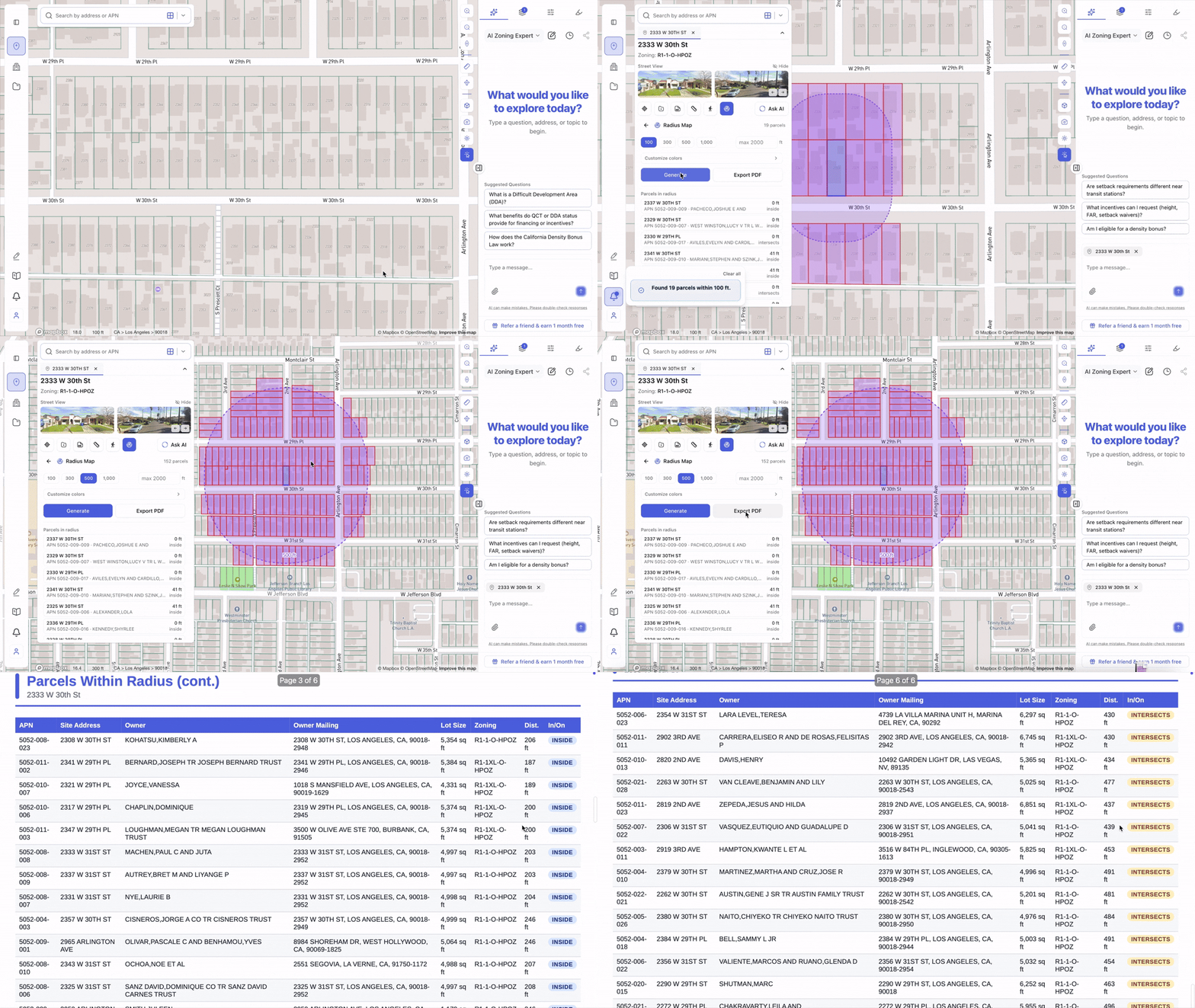
Radius Maps & Ownership Reports
You can now instantly generate custom radius maps around any property and export professional reports with ownership details included.
- Customize radius distance
- Customize report color themes
- Include ownership information directly in reports
- Generate presentation-ready outputs in seconds
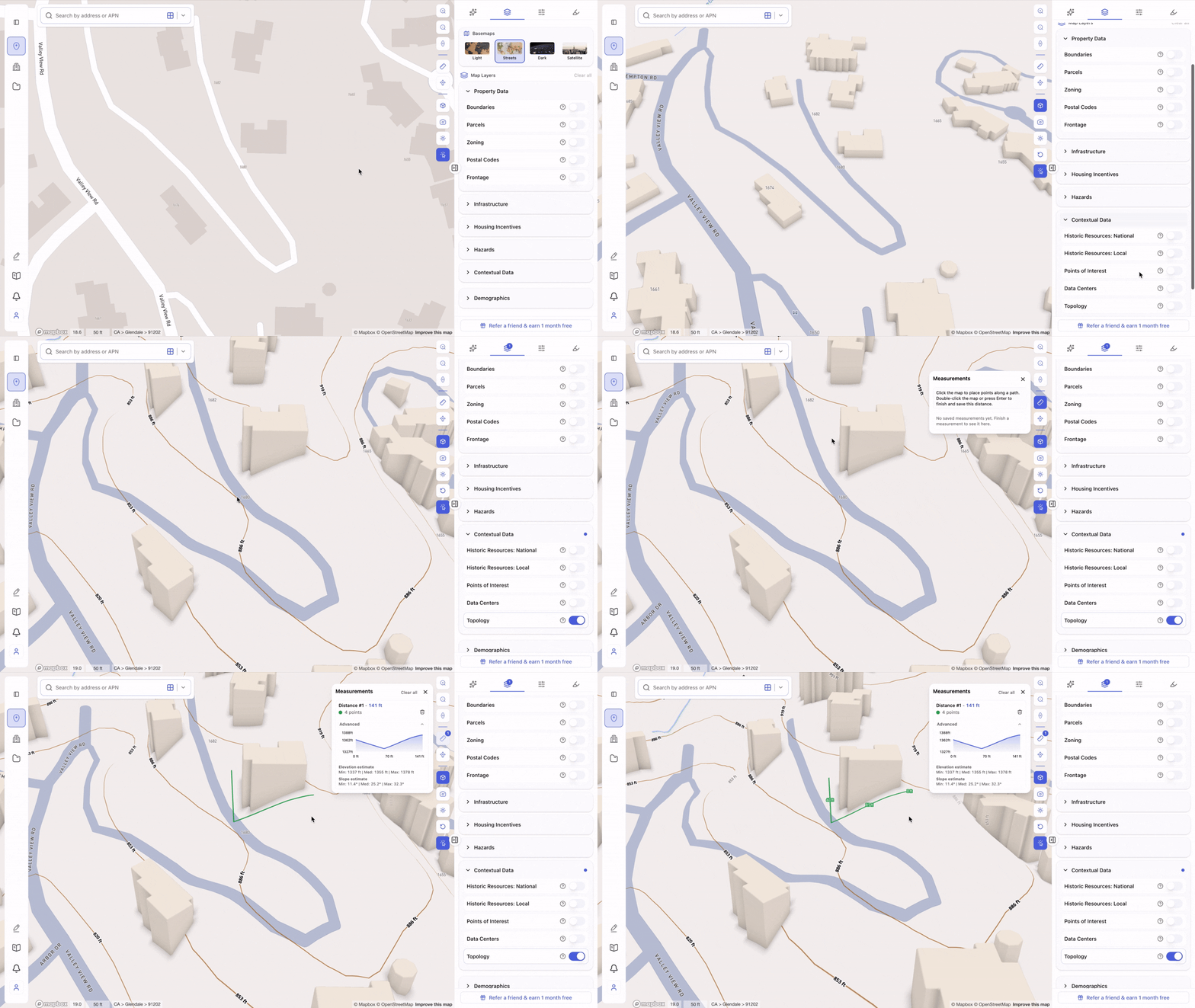
Measure Elevation & Slope in 3D
Our updated measurement tool now lets you analyze terrain directly in 3D.
- Measure elevation differences
- Calculate land slope between points
- Better understand site topography before design and feasibility analysis
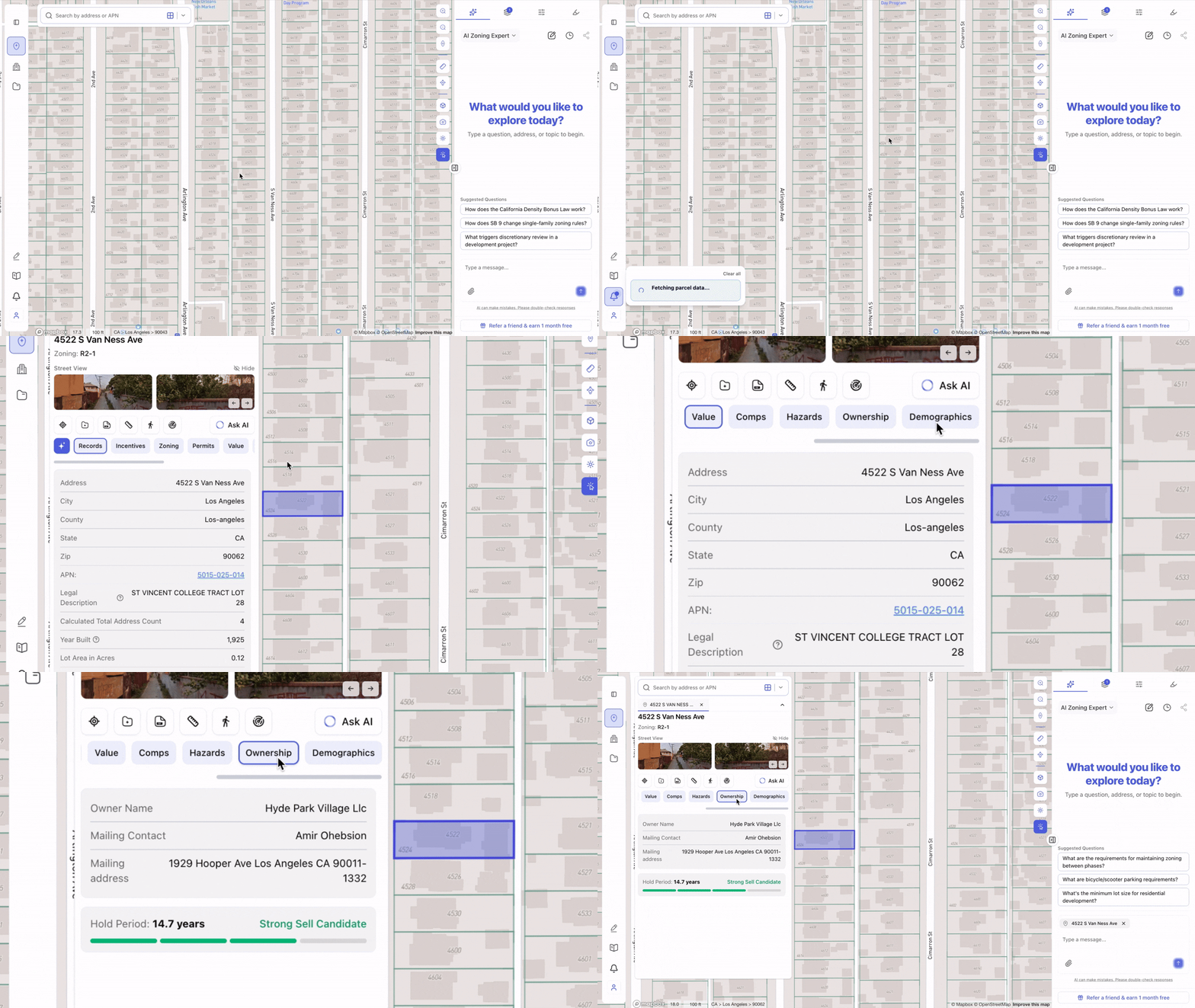
Sell Candidate Recommendations
We’ve introduced a new sell candidate recommendation layer.
Properties are now scored based on ownership hold periods, helping identify parcels that may have a higher likelihood of being sold. Longer hold periods are generally treated as stronger indicators due to accumulated equity and capital gains considerations.
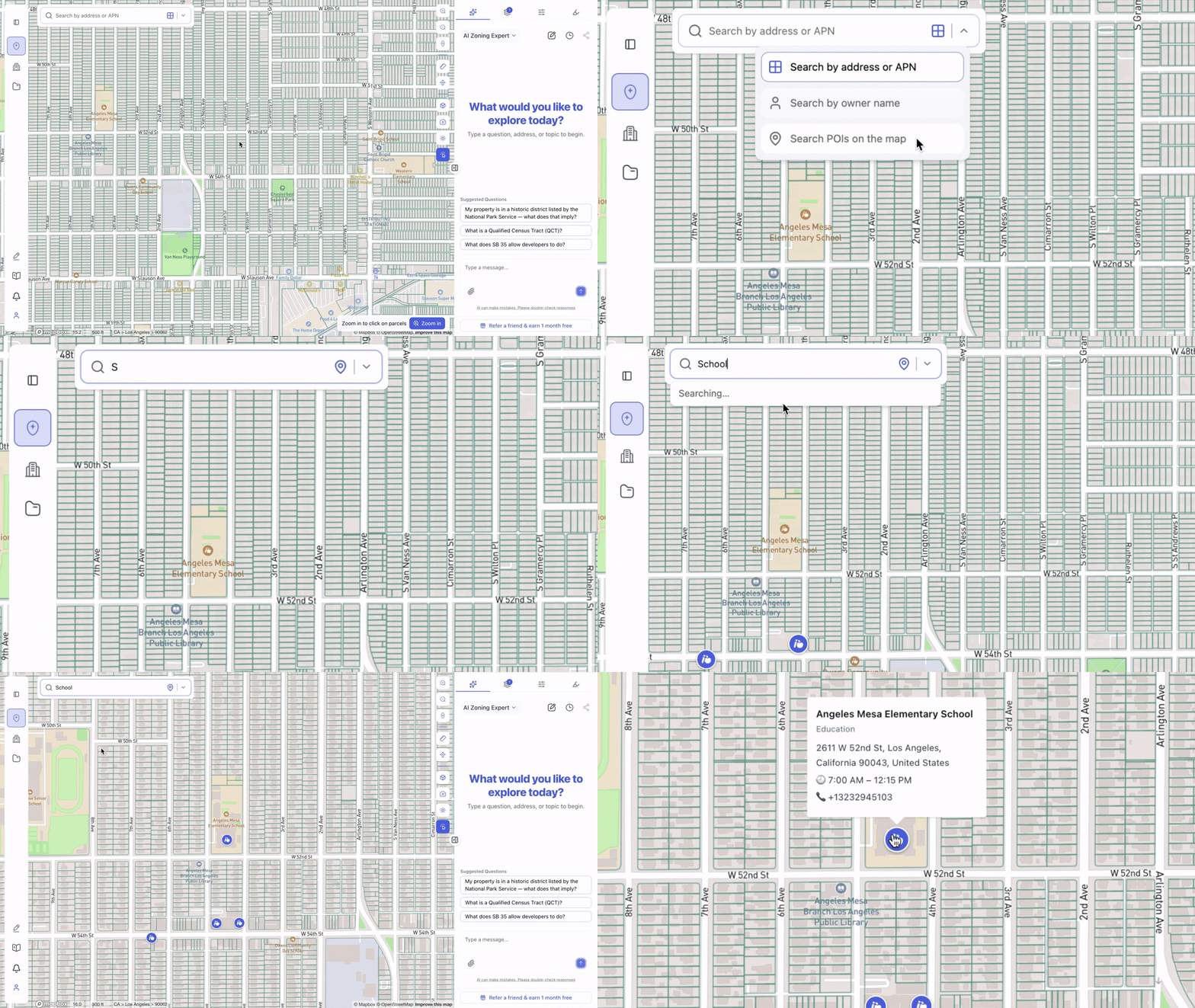
Multi-Mode Search
Search is now more powerful than ever with three dedicated search modes:
Address Search
Search by:
- Address
- APN
- City
Quickly navigate anywhere on the map.
POI Search
Search for:
- Individual points of interest
- Entire categories such as restaurants, schools, hospitals, parks, and more
Owner Search
Search by owner name and instantly visualize all properties owned by the same individual or entity.
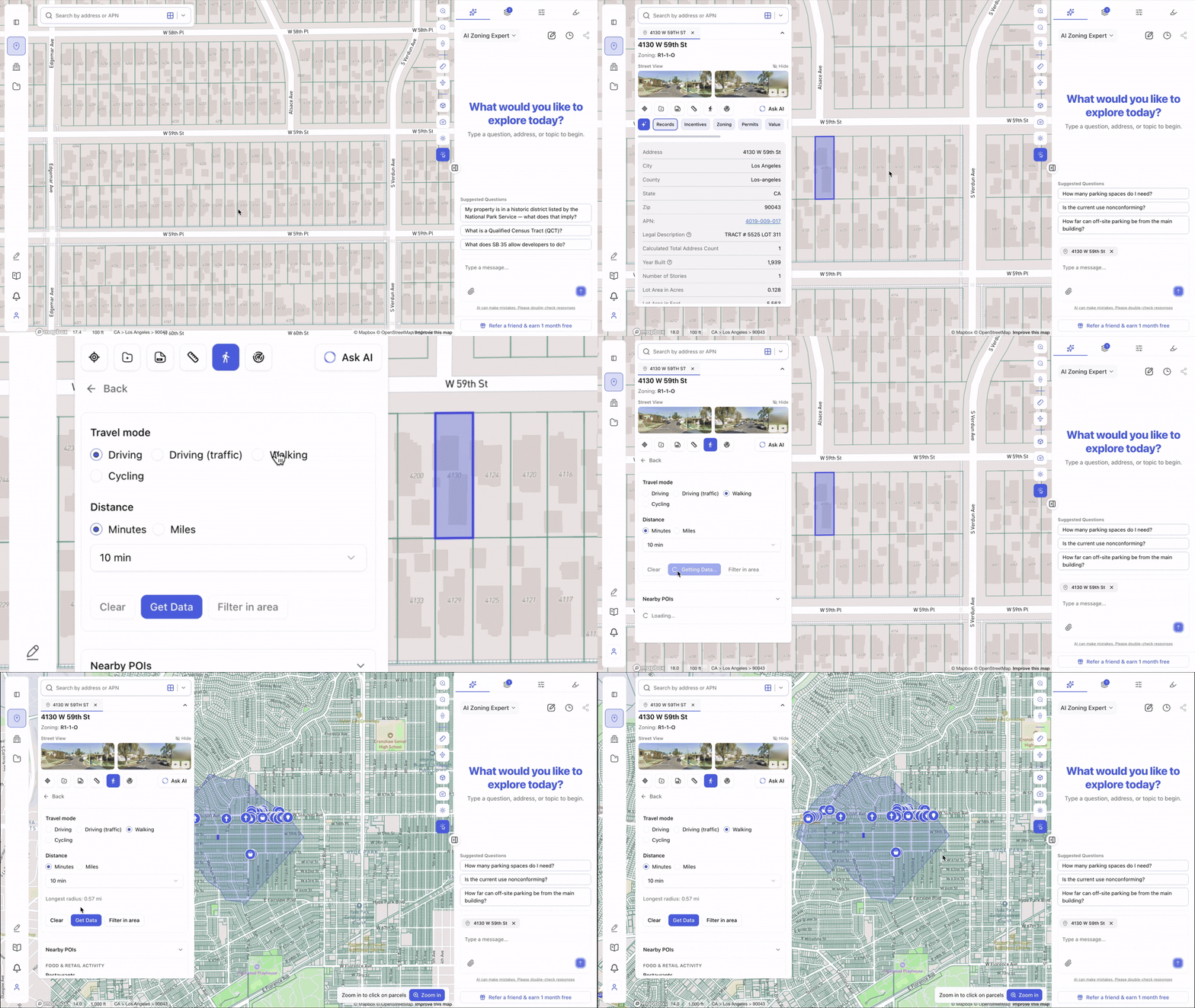
Updated POI Layer & Isochrone Analysis
Our POI datasets and travel distance tools have been refreshed with more up-to-date information.
You can now view important points of interest within custom:
- Walking distances
- Driving distances
- Biking distances
making it easier to evaluate site accessibility and surrounding amenities.
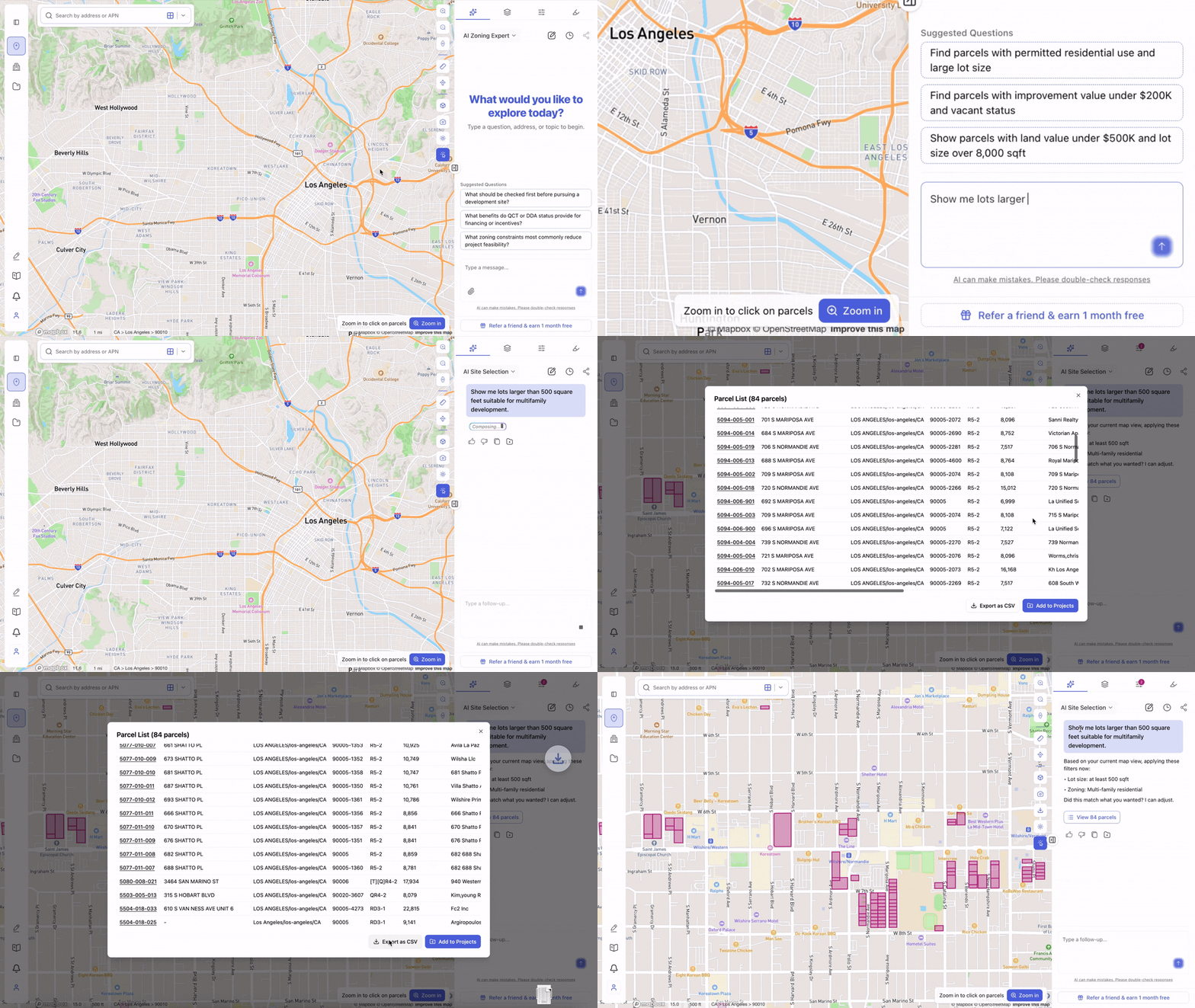
New AI Site Selection Chat
The AI Site Selection experience has been significantly upgraded.
Simply switch the chat mode to Site Selection and use natural language queries such as:
“Show me lots larger than 12,000 square feet suitable for multifamily development.”
Additional improvements include:
- More stable and accurate search results
- Clear and reapply search results directly from chat
- View matching parcel lists instantly
- Improved workflow between chat and map exploration
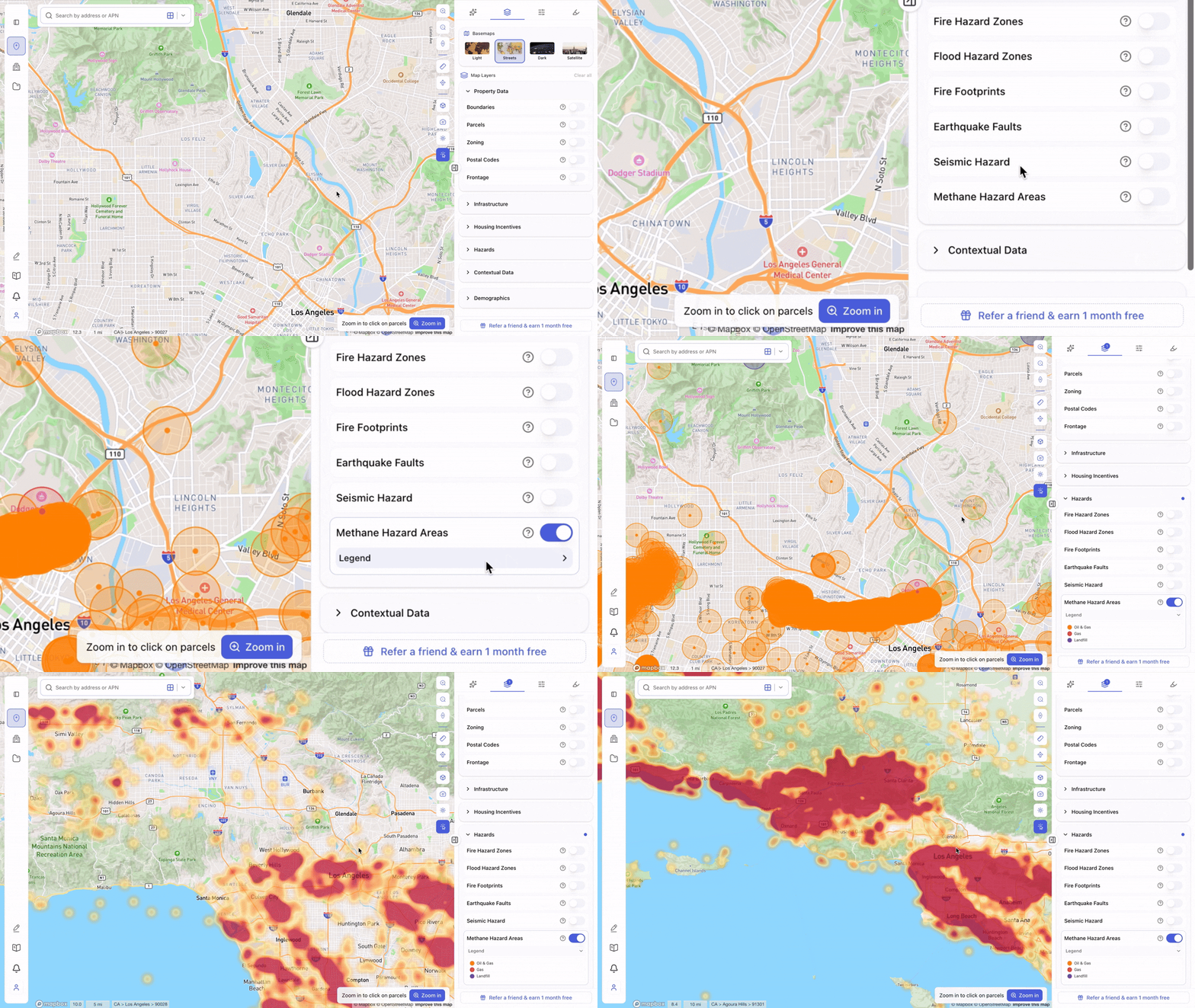
Improved Large-Scale Layer Visualizations
Several map layers now provide enhanced visualization at zoomed-out scales, making regional analysis easier.
Examples include:
- Methane Hazard Areas
- Data Centers
- Historic Resources (National)
For example, the methane hazard layer now automatically transitions into a heatmap view when zoomed out, helping users identify larger patterns at a glance.
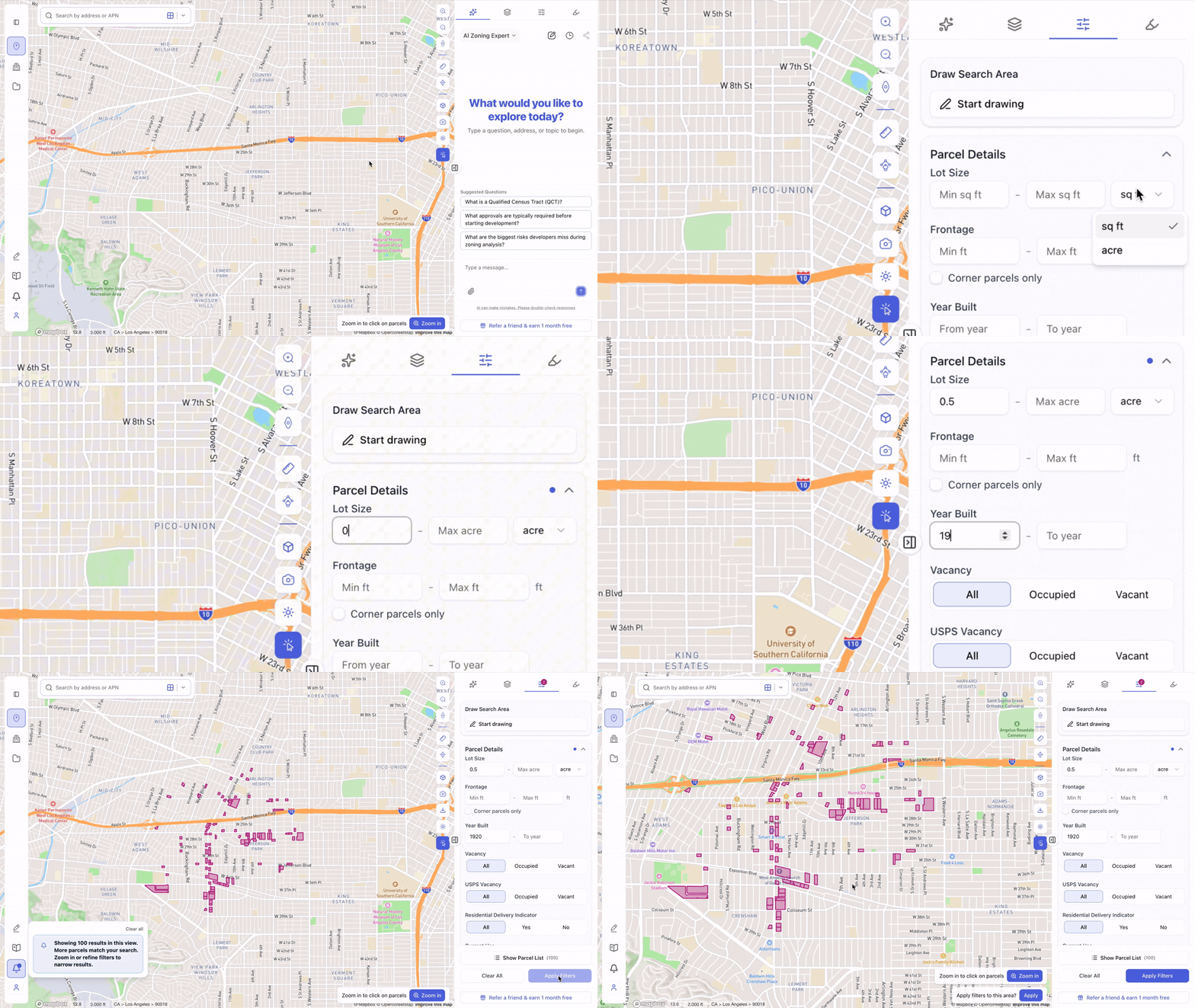
Lot Size Filters: Square Feet or Acres
You can now choose your preferred unit when filtering parcels by lot size.
Switch between:
- Square Feet (sq ft)
- Acres
Whether you’re searching for urban infill sites or large land assemblages, filtering is now more intuitive.
 Faster & Smarter Zoning Filters
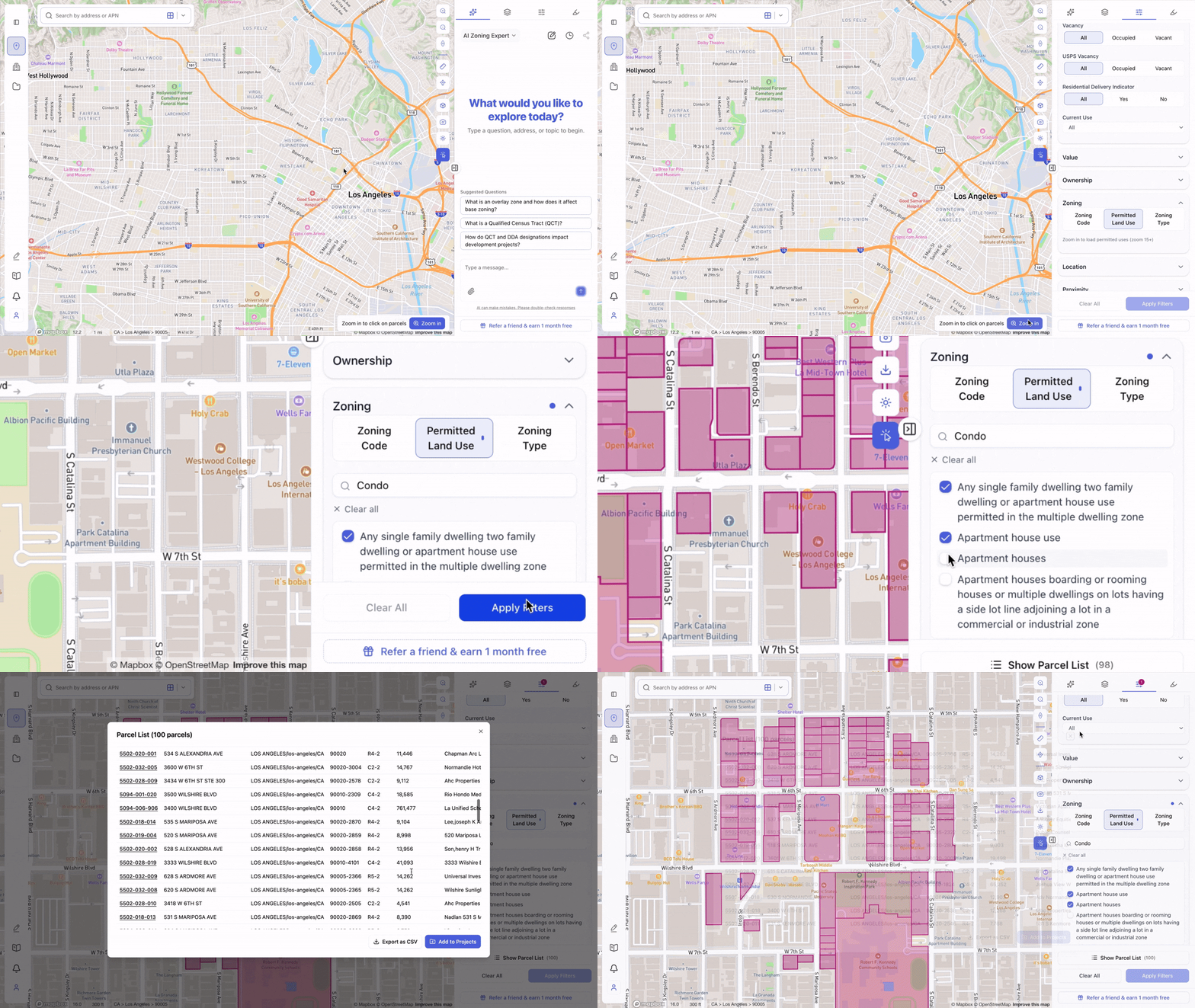
We’ve upgraded zoning filtering with improved stability and search capabilities.
Benefits include:
- Faster performance
- More accurate results
- Search by zoning code or land use
- No exact-match requirements
Simply start typing and ArchiWise will help find relevant zoning districts and permitted uses.
 Stability Improvements & Enhancements
We’ve also rolled out numerous fixes and quality-of-life improvements across the platform, including updates to:
- Filters
- Highlight Tool
- AI Chat
- Map interactions
- General platform stability and performance
As always, we’re continuously improving ArchiWise based on customer feedback. Stay tuned for more updates as we continue building the AI operating system for pre-development.
Learn more
ArchiWise helps developers, investors, architects, and brokers go from address to decision in minutes, not weeks.
Whether you’re screening sites for multifamily development, evaluating zoning constraints, surfacing incentive eligibility like QCT and LIHTC, or assessing hazard risk before committing capital, ArchiWise runs every layer of analysis in one place.
Explore how ArchiWise helps teams screen development sites, analyze zoning, and make confident go/no-go decisions faster.